
Search Results
-
Learn a few tips and tricks to help you find the products and information you are searching for.
Tip 1: Start with a catalog number
If you are searching for a particular product on our shop start with the product catalog number. All shop products are associated to a catalog number and can be found quickly by searching with that number.If you are wondering where to find a product catalog number you can download or order any of our product catalogs (https://www.aph.org/catalog-order-form/) each containing product catalog numbers for the products you are trying to find at no charge to you. Also, you can download the catalog to your personal device or print the catalog for your future off-line reference.
Note: Because we add new products, update products and discontinue products our print catalog and website will not always reflect the same exact products. We update our catalog annually and our website as products change. Please be aware that some products do not appear on our website.
For a list of discontinued products please reference the area labeled MyResources in your APH Federal Quota online account at www.aph.org .
For help searching for replacement and consumable parts by part number, see Tip 4 and you will be able to find the APH Parts Catalog here https://www.aph.org/catalog-order-form .
Tip 2: Search using product titles
If you are searching for a specific product on the APH web shop and you do not have a product catalog number, then use a product title. All products have a title which can be found as the leading text on every product page.Our product catalogs are a good place to find product titles. Even though the product titles on the web site do not always match our product titles in the catalog it will be helpful to use an iteration of the product title to use in the search. See below for examples.
Without a catalog or if you need to search quickly try to provide a product’s title and so long as you are able to provide enough keywords from a products title your ability to return the product you are searching for will be greater. Title accuracy produces the best results.
Some examples include:
- Mini-Lite box vs Mini Light (check for dashes) – Mini-Lite box is the correct product title
- TactileDoodle vs Tactile Doodle (check for spaces between two words) – TactileDoodle is the correct product title
- Building on Patterns First Grade vs BOP 1st grade (check for words that may be abbreviated) – Building on Patterns is the correct product title
- Video Mag HD versus HD (Use as much of the title as possible as using two letters “HD” will not produce the Video Mag HD) – Video Mag HD is the correct product title
Tip 3: Search using topics
If you are not searching for a product but instead are searching for information on APH.org consider searching for topics such as; accessibility, education, fitness, etc. as a few examples. Topics are abstract and can only be found if it exists within the content of a page on APH.The header and footer navigation is another great way to search our site. Our header navigation takes you to static content within our site about our organization, while our footer contains pertinent as well as dynamic information such as Articles which are periodicals and Newsroom which are important updates from APH.
Tip 4: Searching for Optional and Replacement Parts
If you are searching for optional or replacement parts for products on the shop, all parts are now found on the associated product page. You can search for the parent product that the part is associated with to find it within the Optional and Replacement Items of the product page.Tip 5: Searching for books (Excluding APH Press books)
When searching for large print, braille or audio books, we recommend that you search for those types of books on Louis.APH.org. Once you find the book you are searching for (so long as it is a title that APH produces. For more info contact our customer service) copy the catalog number from Louis and then search for it here on APH.org.If searching for APH Press titles, simply search for the title you are searching for on APH.org. All APH Press titles are available through our search.
Tip 6: Expanded Search Filtering
When searching on APH.org you can filter the results. First just below the search bar are four filter types; Pages, Products, Posts, and Documents. By default a search will contain all four of these results along with how many results have returned for each type. Pages are the common pages that make up APH.org. Products are found on the APH shop. Posts are blog articles and news updates. Documents are downloadable files and documents associated to products such as manuals and software. You can narrow your search to any one of those types to help you find what you are searching for.If you are still having trouble finding what you are searching for on APH.org please call our customer service line and speak with an experienced representative that can assist.
Customer Service can be reached at: 800-223-1839 or email support@aph.org. Hours are from 8am to 8pm weekdays.
We’d also like to inform you that we at APH are working very diligently to make APH.org the best experience possible in every way that we are able. If you have any feedback, please contact our customer service team and provide us with your thoughts as to how we can improve the experience for you. Otherwise, keep checking back as we have some very exciting updates in the works in the near future!
Searching for textbooks from APH or other accessible media producers? Go to Louis.
171 results found
Braille Badge, iOS iMessage Sticker Set (Free app)
Enjoy sending these Braille stickers to family and friends on your iOS devices. Available on the App Store for FREE…
Catalog Number: D-30024-AP
Not Federal Quota Eligible
product
Studio Recorder Software: Digital Download

To celebrate 25 years, we are now offering Studio Recorder at a new low price! Studio Recorder is an easy-to-use…
$49.95
Catalog Number: D-03600-ED
Federal Quota Eligible
product
Building on Patterns: Primary Braille Literacy Program: First Grade: Unit 2 Teacher’s Edition, Braille
Going and Doing
This Teacher's Edition is the companion piece to the Going and Doing Student Kit. Note: This item is made to…
$44.14
Catalog Number: 6-78461-U2
Federal Quota Eligible
2 in stock
product
SlapStack Math, for iOS devices
Download this app on your iOS device and practice your operations with this interactive, action and memory math game. This…
Catalog Number: D-30025-AP
Not Federal Quota Eligible
product
Cyberchase: Echo Explorers for Monarch
In Cyberchase: Echo Explorers, players help Brigit save her cactus apple flowers by freeing the pollinating bats in Monarch’s first…
Catalog Number: D-32000-AP
Federal Quota Eligible
product
Wordstock for Monarch

Wordstock is a free braille word-guessing game designed exclusively for Monarch that turns traditional spelling practice into a fun interactive…
Catalog Number: D-31000-AP
Federal Quota Eligible
product
Astro Adventure Balls App

Astro Adventure Balls app is a free app for iPad and Android tablets that offers an engaging and interactive experience…
Catalog Number: D-00410-AP
Not Federal Quota Eligible
product
TADPOLE: Interactive Images eBook

TADPOLE Interactive Images aid assessment and development of visual skills. Download the iBook® for FREE from the App Store: https://itunes.apple.com/us/book/tadpole/id1174450875?mt=11…
Catalog Number: D-03620-AP
Federal Quota Eligible
product
Indigo

Independently, I go! Discover the great outdoors with Indigo, a fully accessible GPS app with rich descriptions of your surroundings.…
Catalog Number: D-11901-OL
Not Federal Quota Eligible
product
APH SMART Brailler by Perkins
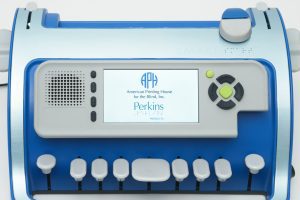
APH SMART Brailler combines a standard braille keyboard, speech output, and SimBraille and large print on a colorful screen, creating…
$2,149.00
Catalog Number: 1-00820-00
Federal Quota Eligible
8 in stock
product
CodeQuest (iPad and iPhone App)
CodeQuest is a FREE, interactive and accessible app for iPad and iPhone mobile digital device that teaches preschool to early-elementary…
Catalog Number: D-30060-AP
Federal Quota Eligible
product
AnimalWatch Vi Suite (for iPad)
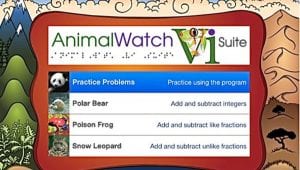
Help students build their math word problem solving skills with this app and accompanying materials. Download the app for FREE…
Catalog Number: D-30026-AP
Federal Quota Eligible
product
MathBuilders: Measurement
MathBuilders Measurement is a free supplementary math curriculum for blind and low vision math learners in grades K-3 to introduce…
Price range: $9.00 through $32.00
Format: Braille, Print
Not Federal Quota Eligible
product
Flip-Over FACES App
Flip-Over FACES App allows a child to casually explore facial expressions within a fun and versatile context. Download the Flip-Over…
Catalog Number: D-30050-AP
Federal Quota Eligible
product
Building on Patterns, Prekindergarten: Teacher’s Edition, Braille Edition

Second Edition
For more information about the inclusive Building On Patterns program, please visit the BOP overview and resources pages at www.aphbop.org/.…
$797.00
Catalog Number: 6-78535-00
Federal Quota Eligible
Made to Order
product
This product is discontinued.
Number Line Device
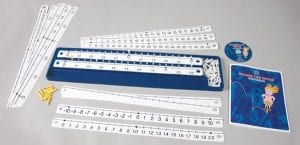
Math aid helps students who are blind and visually impaired comprehend abstract numerical concepts. Note: A physical CD-ROM is no…
Catalog Number: 1-03480-01
Federal Quota Eligible
product
BrailleBuzz App

Now available in English and Spanish! The FREE BrailleBuzz™ App for Android® and iOS® uses a fun environment to introduce…
Catalog Number: D-30035-AP
Not Federal Quota Eligible
product
This product is discontinued.
O&M Family Booklet Software: CD-ROM
Customize a family booklet about your student's Orientation and Mobility!
Catalog Number: D-03480-00
Federal Quota Eligible
product
Quick and Easy Expanded Core Curriculum App
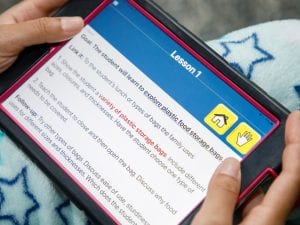
Made for convenience and portability, and developed for iOS and Android devices, this free mobile app offers over 140 lessons…
Catalog Number: D-30038-AP
Not Federal Quota Eligible
product
Practice2Master Abacus App
Practice2Master Abacus is a free app for Android® and iOS® that helps make abacus learning an interactive experience! Download Practice2Master…
Catalog Number: D-30080-AP
Not Federal Quota Eligible
product
Going to the Playground, iOS App

Download for free from the Apple App Store
Catalog Number: D-30031-AP
Federal Quota Eligible
product
Embossable Word Search
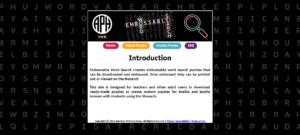
Embossable Word Search is a FREE website that allows educators to create and customize their own braille word search puzzles.
Catalog Number: D-30090-AP
Federal Quota Eligible
product
Flip-Over Concept App for the Monarch: Lines
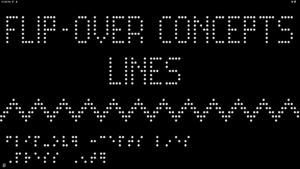
Flip-Over Concept App for the Monarch: Lines is a free, hands-on learning tool that builds tactile literacy through games and…
Catalog Number: D-42001-AP
Federal Quota Eligible
product
Flip-Over Concept App for the Monarch: Textures
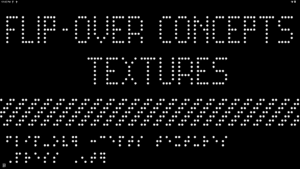
Flip-Over Concept App for the Monarch: Textures is a free, hands-on learning tool that builds tactile literacy through games and…
Catalog Number: D-42002-AP
Federal Quota Eligible
product