
Search Results
-
Learn a few tips and tricks to help you find the products and information you are searching for.
Tip 1: Start with a catalog number
If you are searching for a particular product on our shop start with the product catalog number. All shop products are associated to a catalog number and can be found quickly by searching with that number.If you are wondering where to find a product catalog number you can download or order any of our product catalogs (https://www.aph.org/catalog-order-form/) each containing product catalog numbers for the products you are trying to find at no charge to you. Also, you can download the catalog to your personal device or print the catalog for your future off-line reference.
Note: Because we add new products, update products and discontinue products our print catalog and website will not always reflect the same exact products. We update our catalog annually and our website as products change. Please be aware that some products do not appear on our website.
For a list of discontinued products please reference the area labeled MyResources in your APH Federal Quota online account at www.aph.org .
For help searching for replacement and consumable parts by part number, see Tip 4 and you will be able to find the APH Parts Catalog here https://www.aph.org/catalog-order-form .
Tip 2: Search using product titles
If you are searching for a specific product on the APH web shop and you do not have a product catalog number, then use a product title. All products have a title which can be found as the leading text on every product page.Our product catalogs are a good place to find product titles. Even though the product titles on the web site do not always match our product titles in the catalog it will be helpful to use an iteration of the product title to use in the search. See below for examples.
Without a catalog or if you need to search quickly try to provide a product’s title and so long as you are able to provide enough keywords from a products title your ability to return the product you are searching for will be greater. Title accuracy produces the best results.
Some examples include:
- Mini-Lite box vs Mini Light (check for dashes) – Mini-Lite box is the correct product title
- TactileDoodle vs Tactile Doodle (check for spaces between two words) – TactileDoodle is the correct product title
- Building on Patterns First Grade vs BOP 1st grade (check for words that may be abbreviated) – Building on Patterns is the correct product title
- Video Mag HD versus HD (Use as much of the title as possible as using two letters “HD” will not produce the Video Mag HD) – Video Mag HD is the correct product title
Tip 3: Search using topics
If you are not searching for a product but instead are searching for information on APH.org consider searching for topics such as; accessibility, education, fitness, etc. as a few examples. Topics are abstract and can only be found if it exists within the content of a page on APH.The header and footer navigation is another great way to search our site. Our header navigation takes you to static content within our site about our organization, while our footer contains pertinent as well as dynamic information such as Articles which are periodicals and Newsroom which are important updates from APH.
Tip 4: Searching for Optional and Replacement Parts
If you are searching for optional or replacement parts for products on the shop, all parts are now found on the associated product page. You can search for the parent product that the part is associated with to find it within the Optional and Replacement Items of the product page.Tip 5: Searching for books (Excluding APH Press books)
When searching for large print, braille or audio books, we recommend that you search for those types of books on Louis.APH.org. Once you find the book you are searching for (so long as it is a title that APH produces. For more info contact our customer service) copy the catalog number from Louis and then search for it here on APH.org.If searching for APH Press titles, simply search for the title you are searching for on APH.org. All APH Press titles are available through our search.
Tip 6: Expanded Search Filtering
When searching on APH.org you can filter the results. First just below the search bar are four filter types; Pages, Products, Posts, and Documents. By default a search will contain all four of these results along with how many results have returned for each type. Pages are the common pages that make up APH.org. Products are found on the APH shop. Posts are blog articles and news updates. Documents are downloadable files and documents associated to products such as manuals and software. You can narrow your search to any one of those types to help you find what you are searching for.If you are still having trouble finding what you are searching for on APH.org please call our customer service line and speak with an experienced representative that can assist.
Customer Service can be reached at: 800-223-1839 or email support@aph.org. Hours are from 8am to 8pm weekdays.
We’d also like to inform you that we at APH are working very diligently to make APH.org the best experience possible in every way that we are able. If you have any feedback, please contact our customer service team and provide us with your thoughts as to how we can improve the experience for you. Otherwise, keep checking back as we have some very exciting updates in the works in the near future!
Searching for textbooks from APH or other accessible media producers? Go to Louis.
66 results found
Woodcock-Johnson IV (WJ IV): Adapted for Braille Readers
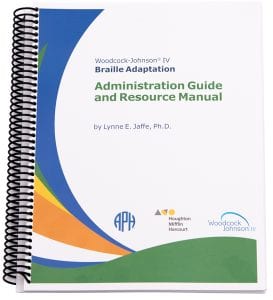
Provided in contracted and uncontracted UEB with Nemeth and UEB Math/Science. Shipping Limitations: This product only ships to the United…
$1,252.25
Catalog Number: 6-66001-00
Federal Quota Eligible
36 in stock
product
Woodcock-Johnson IV: Large Print Edition
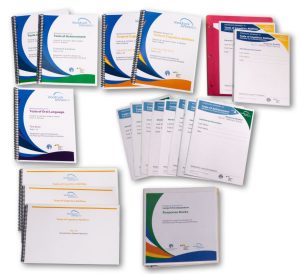
Identify learning difficulties and improve instructional outcomes with this set of assessments designed for large print readers.
$614.81
Catalog Number: 4-66003-00
Federal Quota Eligible
18 in stock
product
Juno
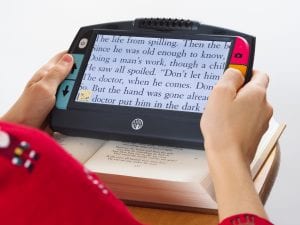
Magnify on-the-go with this powerful, 7-inch LCD touchscreen handheld video magnifier with Optical Character Recognition (OCR). Shipping Limitations: This product…
$1,392.00
Catalog Number: 1-00380-00
Federal Quota Eligible
205 in stock (can be backordered)
product
Code Jumper®

Code Jumper® assists students in learning computer coding and programming skills through a unique, physical system. Now including CJ Threads,…
$534.00
Catalog Number: 1-02700-00
Federal Quota Eligible
450 in stock
product
AnimalWatch Vi Suite (for iPad)
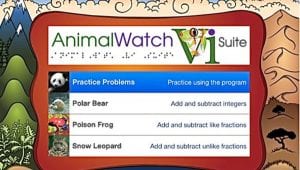
Help students build their math word problem solving skills with this app and accompanying materials. Download the app for FREE…
Catalog Number: D-30026-AP
Federal Quota Eligible
product
Braille Badge, iOS iMessage Sticker Set (Free app)
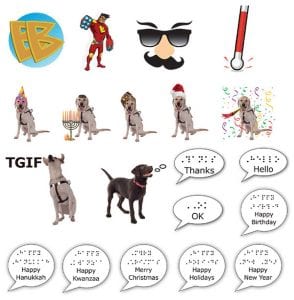
Enjoy sending these Braille stickers to family and friends on your iOS devices. Available on the App Store for FREE…
Catalog Number: D-30024-AP
Not Federal Quota Eligible
product
CVI Complexity Sequences App
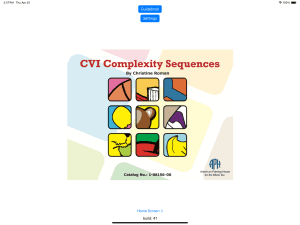
Introducing the CVI Complexity Sequences App, a dynamic educational tool designed to enhance visual learning experiences! Featuring ten sets of…
Catalog Number: D-08156-AP
Not Federal Quota Eligible
product
This product is discontinued.
Brigance Diagnostic Inventory of Early Development (Yellow): APH Tactile Supplement, Revised 1991

A criterion-referenced assessment designed to identify the level of mastery that a young child has achieved on selected skills, important…
Catalog Number: 5-17681-00
Format: Braille
Federal Quota Eligible
product
Health Education for Students With Visual Impairments: A Guidebook for Teachers
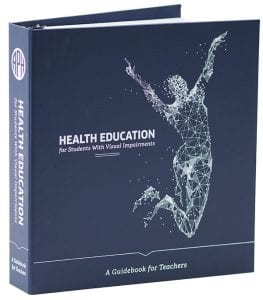
This Guidebook is NOT a curriculum; rather, it provides ways to make specific aspects of health education accessible to students…
$94.68
Catalog Number: 1-08054-00
Federal Quota Eligible
40 in stock
product
TADPOLE: Interactive Images eBook

TADPOLE Interactive Images aid assessment and development of visual skills. Download the iBook® for FREE from the App Store: https://itunes.apple.com/us/book/tadpole/id1174450875?mt=11…
Catalog Number: D-03620-AP
Federal Quota Eligible
product
Braille Refreshers
Braille Refreshers is a program from APH that will “give your braille knowledge new life” (or refresh it) by sharing a weekly piece of braille instruction.
Web Page
Free Apps and Actions from APH
We use apps every day to check email, listen to music, play games, and connect with friends. We’re excited to...
Article
Sand and Sea
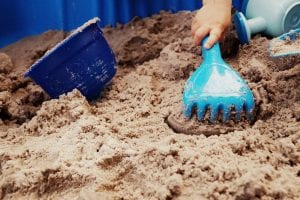
Even if you’re not near the beach, you can still make sandcastles with this sand dough recipe! This activity is...
Article
Sail Away

Bring a wave of high sea adventure to your own living room with these sailboat crafts! This activity is pulled...
Article
LEGO Braille Bricks

Using Lego Braille Bricks is a fun and interactive way to teach braille to kids who are blind or have low vision. Learn through play, here.
Web Page
Code Jumper Now for Sale!
Originally designed by Microsoft and developed by APH, this fun and engaging product is designed to teach students how to...
Article
Snail Mail to Everywhere!

How many of us miss a friend or family member that is too far away to see regularly? I know...
Article
Phase Boxes and Flat Dots: Preserving Braille Materials in the KSB Alumni Association Collection
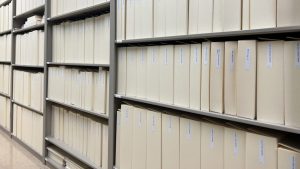
Our next-door neighbor the Kentucky School for the Blind (KSB) has a long and rich history, and as such has...
Article
Planes, Bullet Trains and More Games

This activity is pulled from our Virtual ExCEL Camps happening summer of 2020! While these activities are written to fit...
Article
How Do You Get Around New York City?

This activity is pulled from our Virtual ExCEL Camps happening summer of 2020! While these activities are written to fit...
Article
Shell Necklace
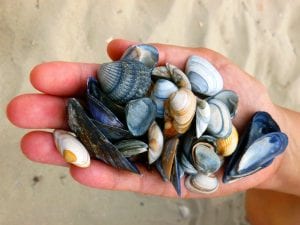
A fun way to show off what you found at the beach is to turn it into a necklace! This...
Article
App Smackdown

In our virtual, technology-driven world, we use apps and programs daily to function. Let’s try a new one out to...
Article
Are you the next Superstar? Or Rocket Scientist? You tell me!

We have all wanted to be famous for something. Those who end up singing to thousands or shooting hoops in...
Article
What Kind of Traveler Are You?

This activity is pulled from our Virtual ExCEL Camps happening summer of 2020! While these activities are written to fit...
Article