Buy your tickets to The Dot Experience today. Doors open October 30.

Learning with KaiBot: Accessible Coding Lesson
July 1, 2026
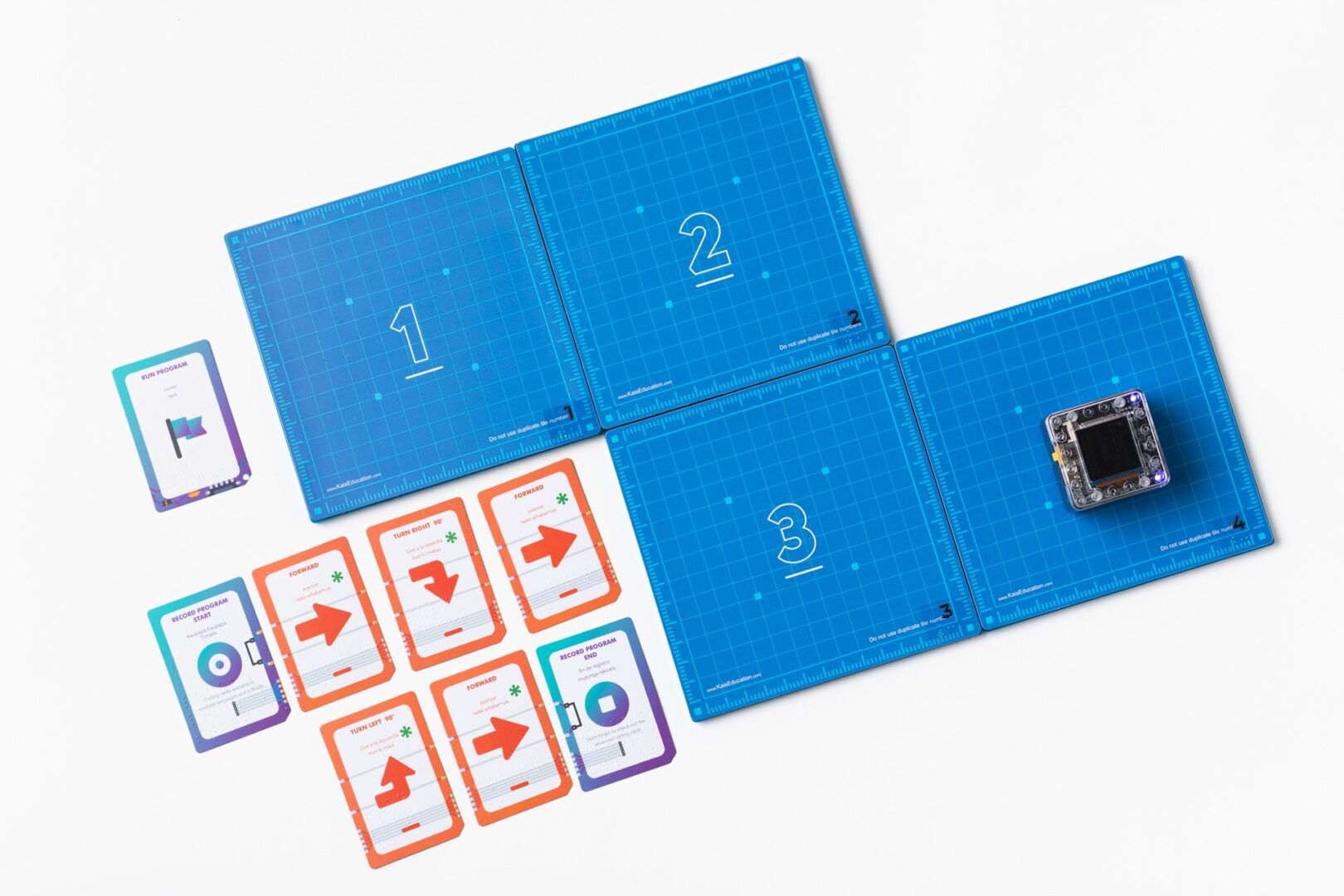
KaiBot is an interactive tool that combines tactile learning, introductory coding, and accessible innovation. The KaiBot robot, complete with varying colors, lights, and textures, is engaging for all types of students. Students program the robot by scanning braille cards in sequences to navigate paths, mazes, and courses they create with tiles. “The physical robot navigates the magnetic tiles using Braille cards to reinforce foundational coding concepts while the companion app, Kainundrum Lite, unlocks the full accessible suite of features, including a specialized custom curriculum,” said American Printing House (APH)’s Product Manager, Avery Baggett.
Companion lessons can help provide guidance, structure, and fun! Below is a guided lesson, “Teaching Coding Cards with a Cake Baking Analogy,” that emphasizes the importance of coding sequences with sweet results. “I love this lesson as a starting point for the full KaiBot experience. Discussing the theory behind how and why code works is baked into this lesson (pun intended). Only after a discussion of what the students have learned does the instructor begin to introduce the actual cards used to write code,” said Bagget.
You can work through this lesson on paper or create real-world application by baking a cake as you go!
Teaching Coding Cards with a Cake Baking Analogy
Required Materials
- KaiBot & Coding Cards or the downloadable Coding Cards
- Basic math tools (like counters)
- Drawing materials
- A cake recipe
- Optional: simple baking ingredients for a real-world demonstration
Lesson Plan
- Compare each coding card to an ingredient or a step in a recipe. Introduce basic counting when discussing quantities in the recipe (e.g., 2 cups of flour, 1 more egg).
- Emphasize the importance of order in recipes and coding sequences. Encourage students to predict outcomes of rearranging steps and test their predictions.
- Discuss the concept of beginning (Gathering ingredients) and ending (Enjoy your cake!) in processes. Encourage students to describe the sequence in their own words or write simple instructions.
- Students add action cards like “mix batter” or “bake.” Create a visual or tactile representation of these steps to lay out.
- Create a basic sequence resembling a cake recipe. Discuss how technology (like ovens) has changed over time and improved baking.
- Students lay out their own ‘recipe’ using coding cards. Optionally, conduct a real mini baking activity to demonstrate the process.
- Discuss how changing steps affect outcomes in recipes and coding.
Completing the Lesson
- Recipe Introduction
- Begin by comparing each coding card to an ingredient or a step in a recipe.
- Explain that just as in baking, where we follow steps in a recipe, in coding, we follow steps defined by the cards.
- Sequential Steps
- Show that the order of steps in a recipe is important, just like the order of coding cards. Lay out the cards in a sequence as you would list steps in a recipe.
- Start and Finish
- Highlight that every recipe starts with “Gathering ingredients” (akin to the “Start” card) and ends with “Enjoy your cake!” (akin to the “End” card).
- Place a “Start” card at the beginning and an “End” card at the end of your sequence, just like starting and finishing steps in a recipe.
- Adding Steps (Ingredients/Actions)
- Between the “Start” and “End” cards, add action cards like “mix batter”, “pour into pan”, or “bake” to mimic the steps of baking a cake.
- Discuss how changing the order of these steps, like baking before mixing, wouldn’t make a cake, similar to how rearranging coding cards changes the program’s outcome.
- Simple Recipe Example
- Create a basic sequence resembling a simple cake recipe: [Start] -> [Mix Ingredients] -> [Pour into Pan] -> [Bake] -> [Let it Cool] -> [End].
- Walk the student through each card, explaining how following these steps in order leads to a delicious cake, just like following coding cards in order creates a working program.
- Hands-On Baking Activity
- Encourage the student to lay out their own ‘recipe’ using the coding cards.
- They can pretend to bake a cake following their card sequence or even act out the actions for a more interactive experience.
- Reflection and Understanding
- After the activity, discuss how changing the steps in a recipe result in a different cake or no cake at all, just like changing the order of coding cards affects the program. This helps them understand the importance of sequence and order in coding.
Share this article.
Related articles

Exploring the World of Adapted Physical Education: Enhancing Inclusivity for Blind and Visually Impaired Students: Overcoming Challenges and Addressing Concerns
Parents and physical education teachers may hesitate when it comes to allowing their child or student who is blind or...
10 STEM Products for Inclusive Classrooms
This blog was originally published in 2019 as “8 STEM Products for Inclusive Classrooms.” It has been updated to include two...

What Does Accessibility Mean to You?
Have you ever considered how something that many people use every day, like a kitchen appliance, social media platform, or...