Buy your tickets to The Dot Experience today. Doors open October 30.

Monarch Update 2.0 Expands Accessible Learning Opportunities

September 9, 2026
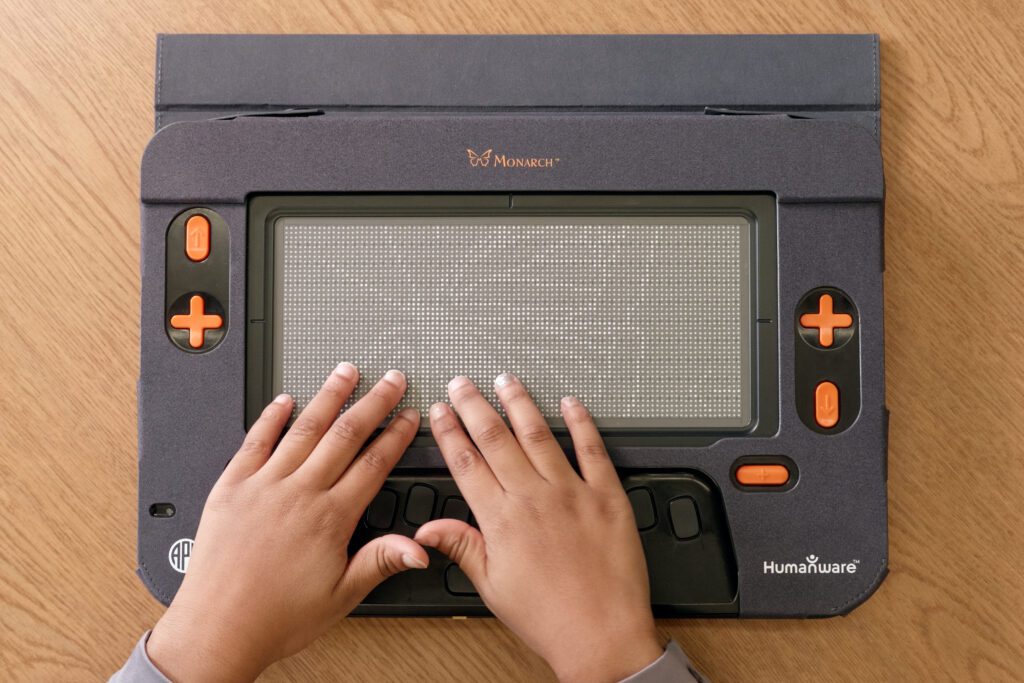
This newest Monarch software update gives blind or low vision students the tools they need to complete assessments, explore equations, collaborate on documents, and continue working with digital and tactile information independently.
What’s New in Monarch Update 2.0?
Take a look at a few of the features coming to Monarch and Monarch applications with the new update:
Exam Mode
Exam mode creates a testing-friendly environment within Monarch, making testing a comfortable process for both students and teachers. Teachers can customize which apps are available during exam mode, and which are turned off. This helps to ensure students can take advantage of all the Monarch’s tactile and braille capabilities distraction-free.
KeyDrive
Added support for sharing files, modifiable document permissions, and a new “Shared with Me” section within KeyDrive assists users collaborating on documents. The added support, as well as new shared document organizations, can help users access and modify shared documents with ease.
KeyMath
A complete re-design of the graph viewer streamlines user experience and simplifies student learning. With this new design users can: select curves and view their function in braille, view hatch marks on axes, view and rename axes labels in braille that adjust automatically with zoom and hear an audible description of a curve. New shortcuts to toggle output between fractions and decimals, as well as a math symbol search bar, are also available.
TactileViewer
To assist blind or low vision users interacting with visual content, TactileViewer updates focus on improving clarity. SVG files are now supported, and PDF files now offer 9 levels of zoom as opposed to the standard 4. Users can “quick zoom” by long pressing the zoom buttons. The new “Describe with AI” shortcut gives a general description of the image as well as populates hidden annotations that can be tapped for more information on a specific section of the image. The new “Call Out Annotations” shortcut can be used to find annotations in an image. Edge detection filter will be automatically applied to all non-PDF images but can be toggled on and off. This filter identifies structural outlines of an image, alongside removing image “noise” like shading and colors, making visual content easier to navigate.
KeyWord
Nemeth and UEB will now use MathCAT for improved math translations. Syntactically incorrect math expressions can now be saved to a document, helping to improve mathematical error handling.
Victor Reader
Improvements to eBRL styling streamline user experience when viewing eBraille files. An improved OAUTH provider login also helps to improve the reading process for users.
These updates build on Monarch’s growing ecosystem of educational tools and integrations introduced earlier this year including Google Drive, Microsoft OneDrive, JAWS and NVDA, as well as eBraille and Wing It. Our Monarch team continues to work on building a system that supports independent learning, provides users with new technology, and never stops improving existing applications.
If you have any questions or concerns about updating your Monarch, please contact our Monarch Support Team at [email protected] or (833) 447-8444.
Share this article.
Related articles

Monarch is Making a Difference: Manolo’s Story
Jose Manolo Alvarez, ‘Manolo,’ is a blind professional assistive technology developer with degrees in computer programming and special education. Driven...
A Bigger Milestone, a Broader Reach: MSPP Enters Year Three
A Milestone Worth Celebrating American Printing House for the Blind (APH) is celebrating a major milestone for the Monarch Student...
Product Updates & Upgrades
The American Printing House (APH) is always working to improve what already exists as we produce new technology and products...