
Flip-Over Concept App for the Monarch: Lines
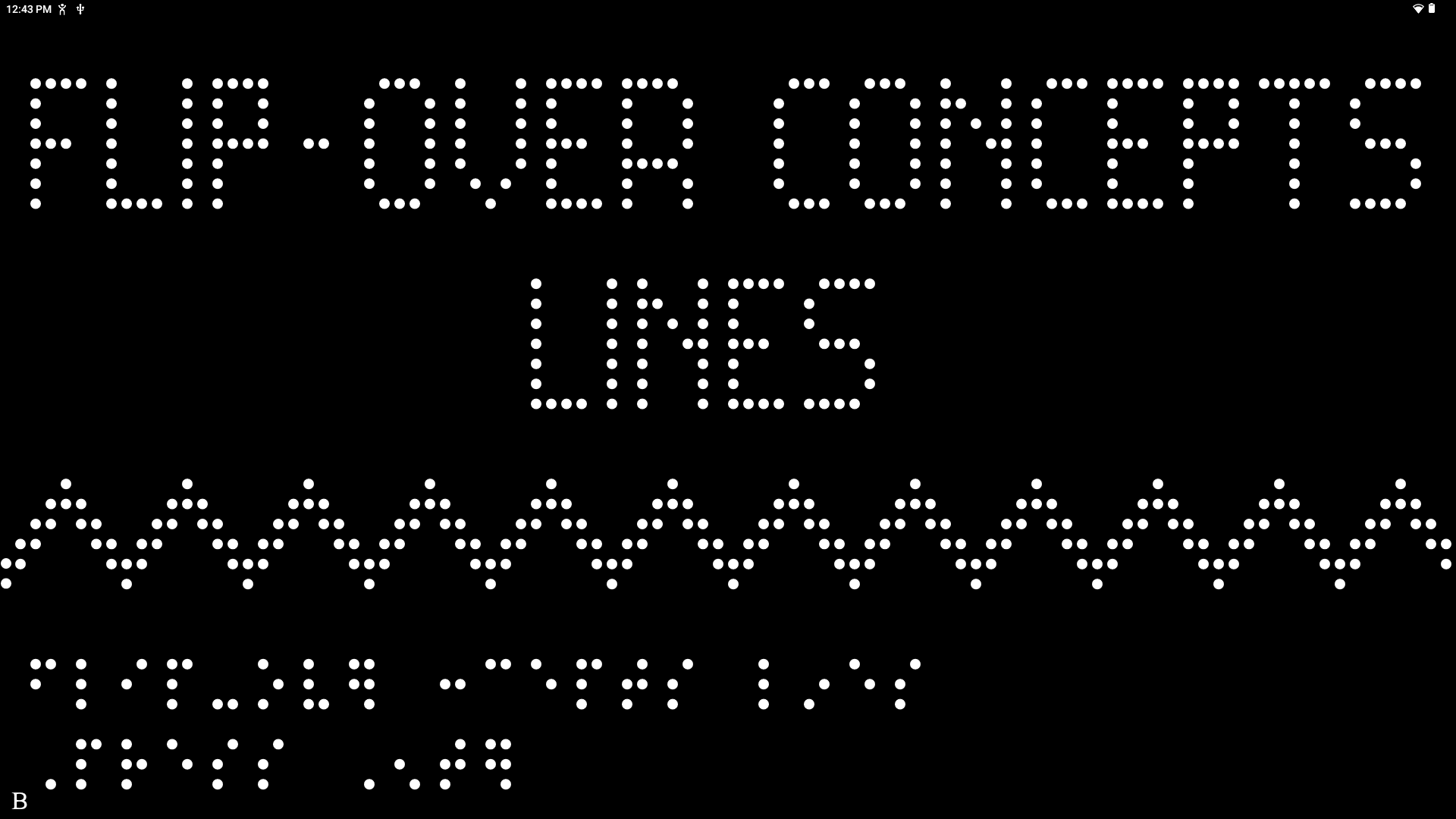
Flip-Over Concept App for the Monarch: Lines is a free, hands-on learning tool that builds tactile literacy through games and exploration of interactive panels filled with a variety of line paths.
Federal Quota Eligible
Catalog Number: D-42001-AP
Product Description
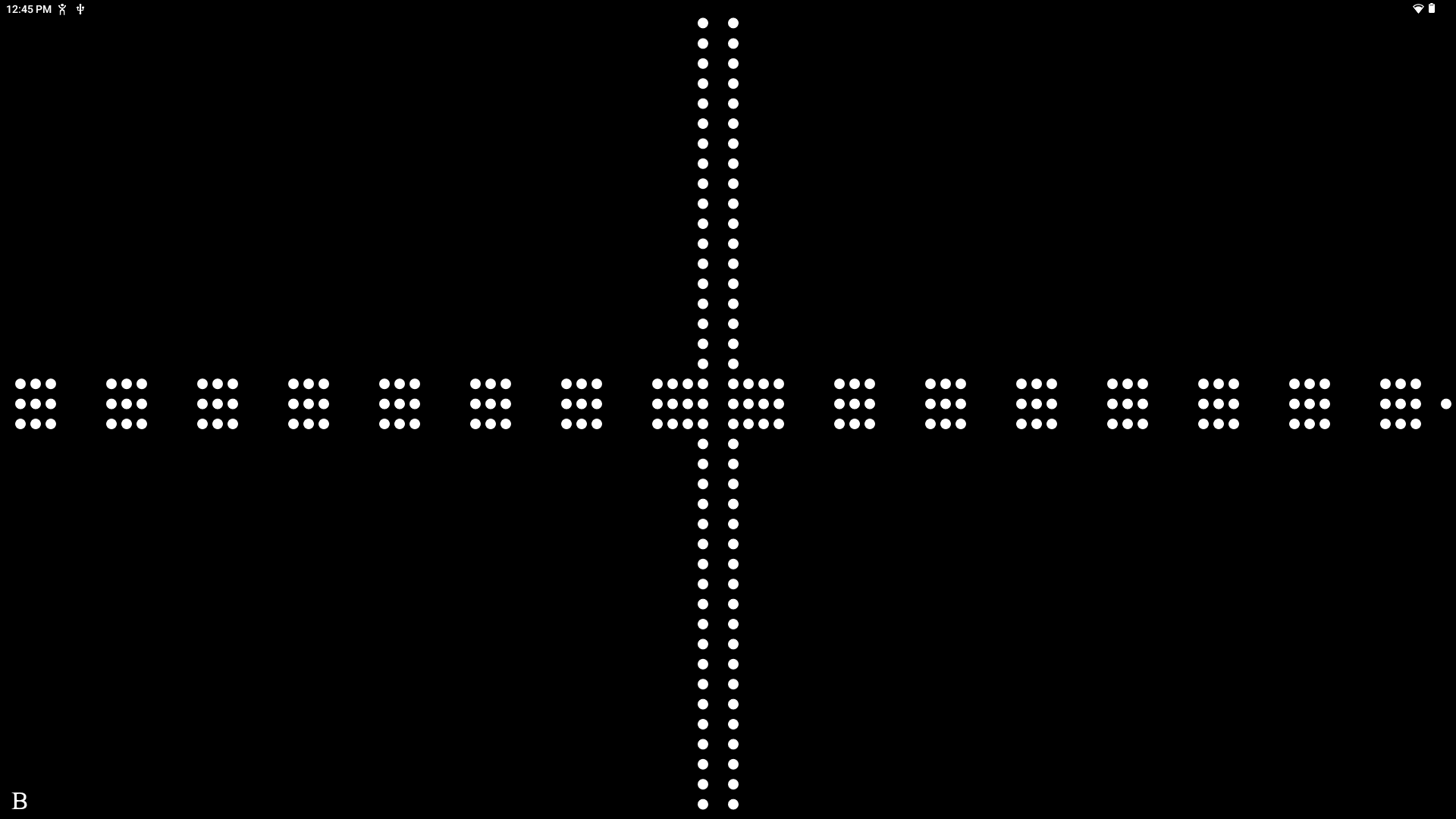
Flip-Over Concept App for the Monarch: Lines is a tactile training tool designed to build tactile literacy skills while preparing students to navigate graphics on the Monarch device. Available as a free download on Monarch, the app transforms the screen into two or three interactive sections that simulate stacks of tactile panels featuring various line paths. Using a variety of gestures, students can “flip” between panels and dynamically switch displays to identify matching line paths.
In “Exploration Mode,” learners become familiar with each line path before progressing to the more challenging matching activities with two or three panels. Designed to make fingers think, this structured progression allows students to figure out whether presented line paths match all while strengthening discrimination and comparison skills. To help users get started, a tutorial is included on the app that explains each play mode.
Flip-Over Concepts for the Monarch: Lines is based on APH’s book Flip-Over Concepts LINE PATHS which helps young students learn basic concepts and develop early tactile skills.
-
- The Lines app features 15 different tactually discriminable line paths (e.g., wide solid line, dashed line, notched line).
- An “Exploration” mode allows students to become familiar with each line path before using the “2-Panel” or “3-Panel” play modes.
- A brief tutorial is provided in the Options menu that explains the easy-to-learn app for the various play modes.
-
- “This student was introduced to these concept books when she was little. At first, the books were difficult for her and then they became easier as she learned with them. Now that it is digital and on the Monarch, she enjoyed switching through the panels and trying to make her matches. Great job!”
- “I found that after using the Monarch Apps, he did better on the PHYSICAL Flip Over activities.”
- “We need more apps like this one. Going back to what my student said, if there were more apps/games like this, then more kiddos would look forward to learning from their device. Using books is ok but they love technology.”
- “This app was able to get a student who usually does not like to participate in school to participate and enjoy her activity!”
- “She was very interested in the Flip Over Concept apps and was very willing to explore the Monarch after playing the apps. Her peers in her bilingual general education class were very excited to explore the apps with her and took turns playing the matching game with her.”
-
Question: How can I install Flip Over Concepts Lines?
Answer: Flip Over Concepts Lines is an optional application that can be installed onto your Monarch. Monarch Firmware 1.4 or later is required. To ensure you have the most current version:- Connect your Monarch to the internet.
- Launch the KeyUpdater application found in “All Applications”
- Follow the on-screen prompts to download and install the latest software.
Once you are running Firmware 1.4 or later, you may install Flip Over Concepts Lines by following these steps.
- Make sure your Monarch is connected to the internet and run the KeyUpdater application found in “All Applications”.
- Select the “Install other Applications” option, and press enter.
- In the list of applications, select Flip Over Concepts Lines and press enter.
- Select “Download Flip Over Concepts Lines” and press enter.
- Flip Over Concepts Lines will download to your Monarch. When the download is complete, press enter to dismiss the confirmation message that appears.
-
Federal Quota Funds: Available
-
Contact Customer Service to discuss your warranty options.
Other Products
Physical Education and Sports for People with Visual Impairments and Deafblindness: Foundations of Instruction(Print)
Provides practical and essential information on modifying physical skills instruction, techniques for adapting sports and other physical activities, and more.…
Catalog Number: F-B0018-00
ISBN: 978-0-89128-554-0
Not Federal Quota Eligible
product
Game Kit: Print Booklet of Suggested Uses
Replacement part for Game Kit, 1-08440-00.
$11.05
Catalog Number: 61-131-035
Replacement Item
Federal Quota Eligible
product
This product is discontinued.
TREKS: The Game of Compass Directions

This game of compass directions is a fun way to learn O&M concepts!
Catalog Number: 1-08910-00
Federal Quota Eligible
product