The BRF to eBRL Converter is a Windows tool that transforms BRF files into eBRL documents while preserving formatting, integrating tactile graphics, and supporting metadata for efficient, accessible braille document conversion.
The BRF to eBRL Converter is a Windows application designed to transform traditional BRF files into modern eBraille documents. It preserves the original formatting of the BRF while enhancing the file with essential eBraille components including dynamic formatting and improved navigation. If tactile graphics are available, the converter seamlessly splices them into the output, ensuring a complete and accessible document. Conversions are handled one file at a time, giving users precise control over the process. During conversion, users can add or edit metadata to enrich the final eBRL file. To streamline repeated tasks, the converter supports user-defined profiles that store formatting preferences, making future conversions faster and more consistent. This tool bridges the gap between legacy BRF materials and the eBraille standard, simplifying workflows for educators, transcribers, and braille readers.
Able to take hundreds of graphics at a time from PDFs and fold them seamlessly into the eBRL in their correct locations
Open source so users can adjust the converter to their needs
Compatible with Windows 10 and 11
Question: What types of BRF files can I convert?
Answer: The converter is designed for BRFs formatted according to BANA rules. Files from other braille regions may technically convert but could have incorrect formatting.
Question: Should I use the converter to convert my entire braille library?
Answer: Probably not. The converter is meant for one-off conversions.
Question: Is the converter open source?
Answer: Yes, you can find the converter’s code on GitHub and are free to make your own version with changes that are specific to your region or organization.
Question: How do I start a conversion?
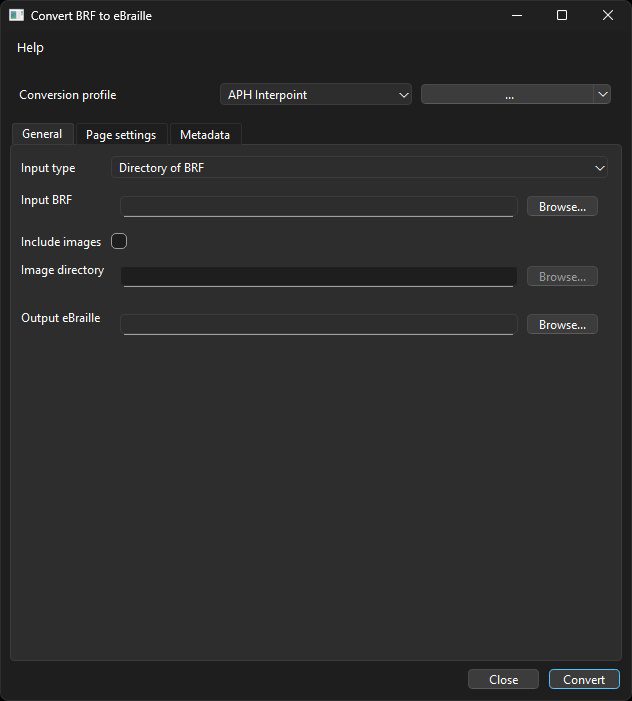
Answer: Run Convert2eBRF.exe, select your input type (single file or folder of BRFs), and set the output location and name. The “Convert” button activates only after a valid input and output are chosen.
Question: Can I include tactile graphics?
Answer: By checking Include Images and selecting an image directory, any associated tactile graphics will be spliced into the converted eBRL.
Question: What are Page Settings for?
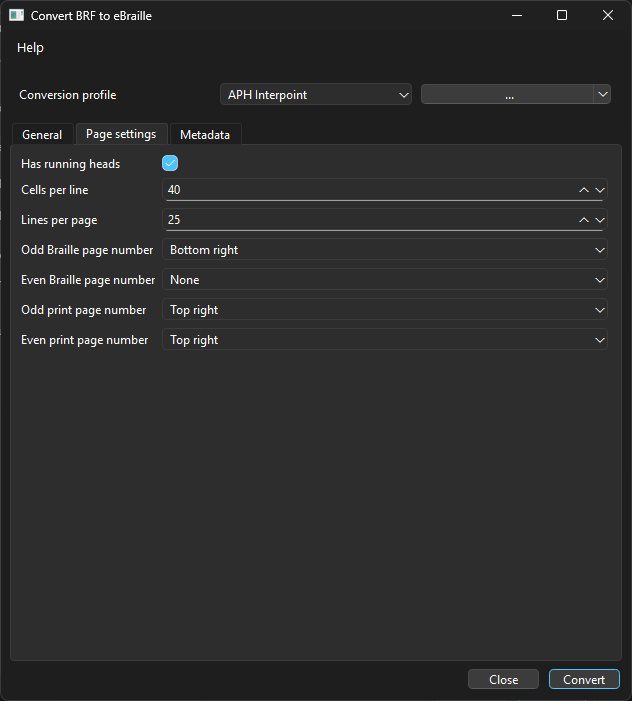
Answer: Page settings let you define cells per line, lines per page, and page number locations. Correct values ensure accurate conversion.